How Front Desk Teams Can Ask for Reviews Without Awkward Scripts
Front desk teams can ask for reviews naturally when they stop treating the request like a sales script and start treating it like a helpful handoff. The best moment is after a real positive cue: a customer thanks the team, compliments the service, smiles at checkout, books another appointment, or says they will come back. A staff member can then give a simple invitation, offer an easy scan option, and leave the customer fully in control of what they write.
That last part matters. A good review request does not pressure the customer, ask for a specific rating, or tell the customer what to say. It simply makes the next step easier while the experience is still fresh.
For restaurants, salons, spas, gyms, clinics, pet services, boutiques, and education centers, the front desk is often the last human touchpoint before the customer leaves. If that handoff feels awkward, the review request disappears. If it feels natural, it can turn a small customer moment into useful public feedback, a testimonial, or a reusable piece of social proof.
Start with the customer moment, not the script
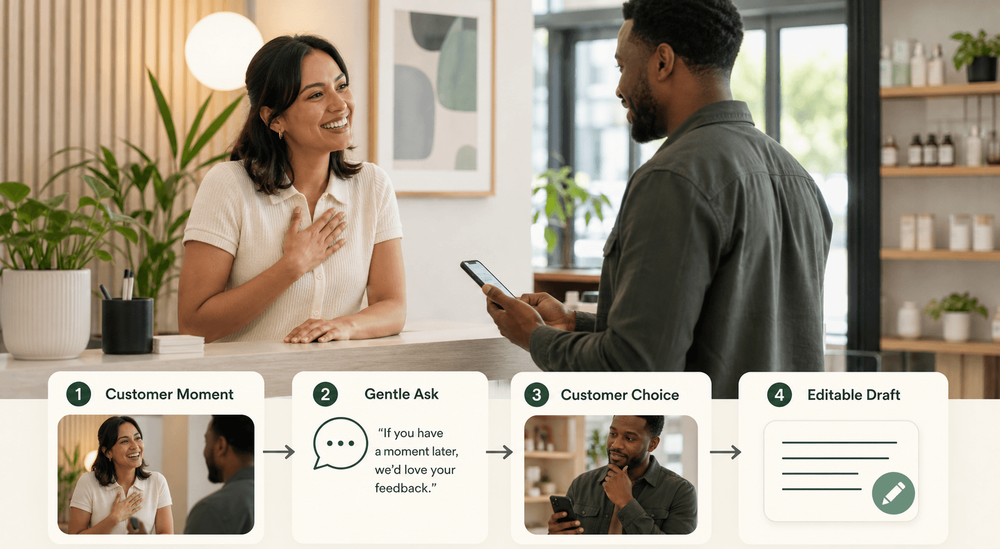
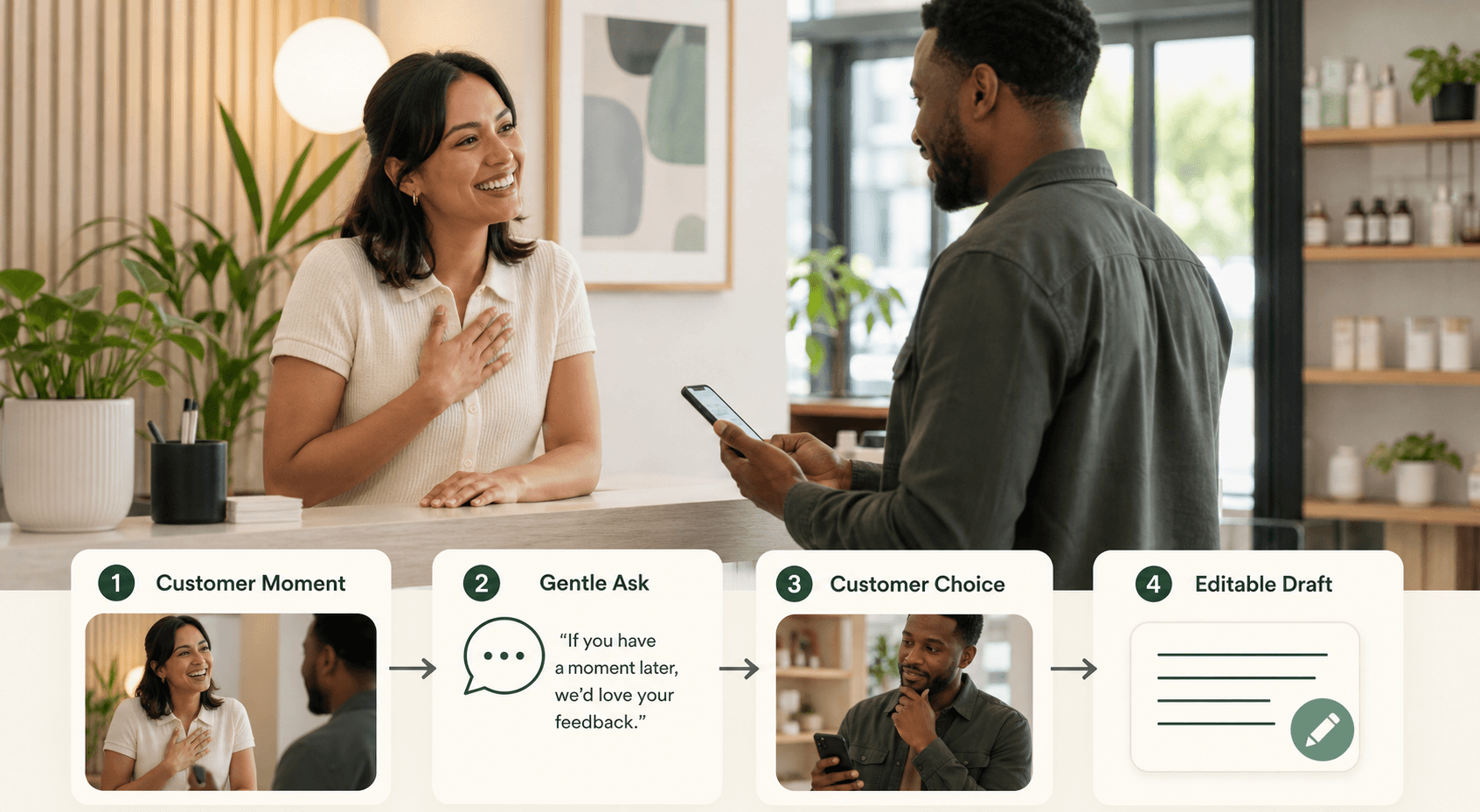
A natural review request begins with something the customer already said or did. The staff member should notice a real cue, respond with a genuine thank-you, and then make the request short.
The mistake many businesses make is training one rigid sentence for every situation. That makes staff sound rehearsed. It also makes the customer feel like the request would have happened no matter what they said.
Instead, train the team to listen for moments like:
- "That was great, thank you."
- "I'll definitely be back."
- "My haircut turned out exactly how I wanted."
- "The class was really helpful."
- "You made this easy."
- "My dog looks amazing."
- "The kids loved today's lesson."
Those are natural openings. The staff response can be simple:
Thank you, that means a lot. If you have a moment later, we'd really appreciate your feedback. You can scan this and share whatever stood out to you.
This works because it connects the ask to the customer's own words. It does not demand a review. It does not ask for five stars. It does not interrupt the relationship by turning a warm moment into a transaction.
What a good front desk review ask sounds like
The best review request is short, specific to the moment, and easy for staff to say in their own voice. It should feel like service, not persuasion.
Here are practical examples front desk teams can adapt.
| Situation | Natural wording | Why it works |
|---|---|---|
| A customer gives a compliment | "I'm glad to hear that. If you'd like to share that feedback later, this code makes it easy." | It responds to a real positive cue without pushing. |
| A guest is checking out after a smooth visit | "Thanks for coming in today. If anything stood out, we'd appreciate a quick review when you have a minute." | It is casual and gives the customer control. |
| A client books a repeat appointment | "We're happy to see you again. If you ever want to share what keeps you coming back, this is the easiest place to do it." | It connects the ask to loyalty, not pressure. |
| A parent praises a class | "Thank you. Feedback from parents helps other families understand what the class is like." | It explains why the review matters. |
| A customer seems rushed | "No rush at all. The code is here if you'd like to leave feedback later." | It removes pressure and keeps the interaction respectful. |
Staff should not memorize these word for word. The point is the pattern:
- Acknowledge the customer.
- Explain the simple option.
- Make it clear the customer decides what to share.
That pattern is easier to train than a perfect script.
A simple workflow for front desk teams
A good front desk workflow should be repeatable without making staff feel like they are pitching customers all day. The request should fit naturally into checkout, appointment wrap-up, pickup, check-in, class dismissal, or service completion.
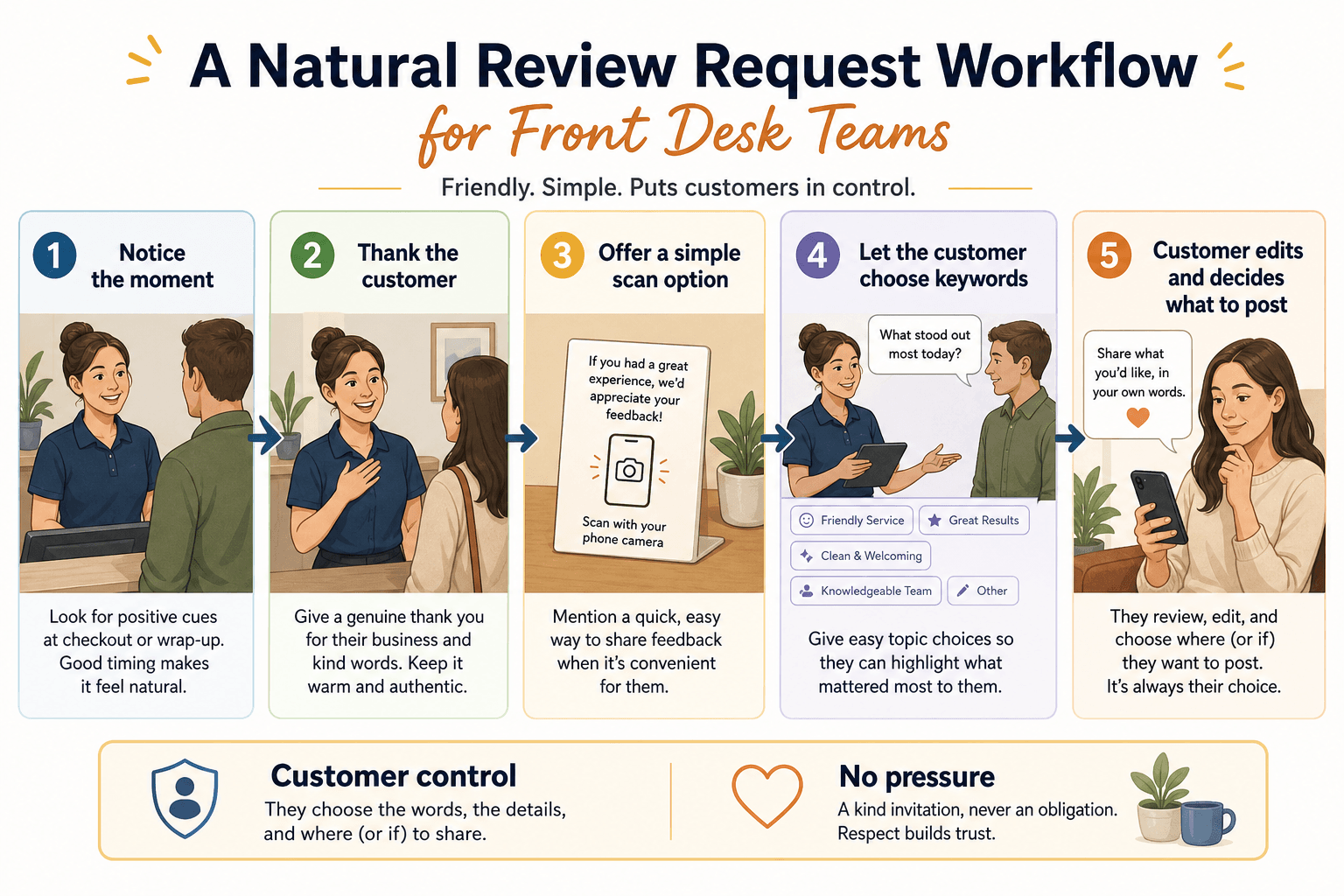
Use this five-step flow:
- Notice the right moment.
- Thank the customer in normal language.
- Offer a simple scan or review link.
- Let the customer choose what stood out.
- Let the customer edit, decide, and publish only if they want to.
The scan option matters because it keeps the staff member from overexplaining. A counter card, table tent, receipt insert, appointment follow-up, or checkout display can do the heavy lifting after the human handoff.
The customer should still decide what happens next. They can write a review, edit a draft, keep feedback private, send it later, or do nothing. That freedom makes the request feel more trustworthy.
What front desk teams should avoid
Staff should avoid anything that makes the customer feel managed, filtered, or rewarded for a particular review outcome. Review requests work best when they invite honest feedback.
Avoid phrases like:
- "Can you give us five stars?"
- "Please mention my name in the review."
- "Only scan this if you had a great experience."
- "If there was a problem, tell me instead of writing a review."
- "We'll give you a discount if you leave a good review."
- "Use this sentence in your review."
- "I'll wait while you post it."
Those lines create risk because they try to shape the rating, content, audience, or timing too aggressively. They also feel uncomfortable for the customer.
Google's review guidance allows businesses to share a review link or QR code, but the request should stay honest and non-coercive. Google's contributed content policies also draw a clear line around fake engagement, including content that does not reflect a genuine experience. If your business uses incentives in any review or testimonial program, review the FTC guidance for marketers and get legal advice before turning that into a staff habit.
For most local businesses, the safer operating rule is simple: ask real customers, ask everyone in the right moment, do not screen for only happy customers, do not reward positive reviews, and never tell customers what rating to leave.
Give staff a decision rule, not a forced line
Front desk employees need a decision rule they can remember during a busy shift. If the rule is too long, they will not use it. If it is too vague, they will guess.
A useful rule is:
Ask only after a real customer moment, make the request optional, and point to an easy next step.
That rule can be applied across different local business settings.
Restaurants and cafes
The best moment is often after a compliment, repeat visit, smooth pickup, or friendly table-side exchange. The staff member can say:
I'm glad you enjoyed it. If you have a minute later, we'd love for you to share what stood out.
A smart review QR code can sit on the receipt, pickup shelf, counter card, or table tent. The staff member should not hover while the customer scans or writes.
Salons, spas, and wellness businesses
The best moment is usually after the customer sees the result, rebooks, or thanks the provider. The staff member can say:
We're happy you liked the service. If you want to share your experience, this makes it easy to do it in your own words.
For personal services, customer control is especially important. The customer may want to mention the stylist, therapist, or service, but they should decide which details feel appropriate.
Gyms, classes, and education centers
The best moment may be after a milestone, class completion, parent comment, or member check-in. The staff member can say:
Feedback helps new members understand what the experience is like. If today's session was useful, this is a simple way to share it.
These businesses should avoid making feedback feel like a public performance. Some customers may prefer private feedback, especially when children, health, or personal progress is involved.
Retail, pet services, and local service counters
The best moment is often after a successful pickup, helpful recommendation, completed service, or repeat purchase. The staff member can say:
Thank you for trusting us. If you'd like to share what helped, this code is the easiest way.
That request is specific enough to feel human and light enough to avoid pressure.
Where a smart review QR workflow helps
A smart review QR workflow helps front desk teams because it turns the review request into a structured customer handoff. The employee does not need to explain every step or write a script from scratch.
This is where Vibpost fits naturally. Vibpost is an AI marketing assistant for local businesses that uses a smart review QR code workflow, called a Seeding Code inside the product, to help customers turn real experiences into review drafts, social posts, testimonials, and video scripts.
The difference is the "missing middle" between a verbal compliment and a public review. A normal QR code sends a customer to a blank review box. A smart review QR workflow can help the customer choose experience-based keywords first, such as "friendly service," "clean space," "fast checkout," "great haircut," "helpful teacher," or "calm appointment." Those keywords then help create an editable draft.
The customer stays in control of the words. The business gets a repeatable workflow that staff can explain in one sentence.
For a front desk team, that can reduce three common problems:
- Staff forget to ask because the request feels awkward.
- Customers want to help but do not know what to write.
- Positive in-person comments disappear before they become useful proof.
The goal is not to manufacture praise. The goal is to lower the friction between a real customer experience and an honest piece of customer feedback.
How to handle neutral or negative feedback
Front desk teams should not treat review requests as a way to hide negative experiences. If a customer seems frustrated, uncertain, or disappointed, the right move is to listen first, not push for a public review.
A practical staff rule is:
If the customer gives a positive cue, offer the review option. If the customer gives a concern, invite private feedback and try to solve the problem.
That might sound like:
I'm sorry that part was frustrating. I can make a note for the manager, or you can share more details here so we can follow up.
This is different from review gating. The business should not ask only happy customers for public reviews while steering unhappy customers away from review platforms. The better habit is to make review requests broadly available, train staff not to pressure people, and handle concerns honestly when customers raise them.
Negative feedback can be useful. It may reveal a scheduling problem, unclear pricing, a confusing pickup process, or a training gap. If the front desk team treats every concern as a chance to protect the rating, customers can feel managed. If the team treats feedback as information, customers are more likely to trust the business.
Train the handoff like a service habit
A review request becomes less awkward when staff practice it as part of service, not as a separate marketing task. The goal is not to turn front desk employees into salespeople. The goal is to give them a respectful way to invite feedback at the right time.
Use a short training routine:
- List the customer moments that make a request appropriate.
- Write three natural phrases staff can adapt.
- Place the QR card or review option where customers can use it without pressure.
- Teach staff not to ask for a rating, specific wording, or immediate posting.
- Review what happened each week: how often staff remembered, which phrases felt natural, where customers hesitated, and what feedback surfaced.
Do not measure only the number of reviews. Also measure staff comfort and customer friction. If employees avoid the request, the wording is probably too stiff. If customers ask whether they "have to" scan, the handoff is too forceful. If customers say they want to help but do not know what to write, keyword selection and editable drafts can help.
The best front desk review system feels almost ordinary. The customer had a real experience. The team noticed. The ask was brief. The next step was easy. The customer chose what to share.
FAQ
Should front desk teams ask every customer for a review?
They should make the review option broadly available, but the spoken request works best after a real customer moment. Do not selectively ask only people who seem likely to leave five stars. Train staff to keep the request optional and respectful.
Can staff ask for a five-star review?
No. Staff should ask for honest feedback, not a specific rating. A safer phrase is, "We'd appreciate your feedback if you have a minute," not, "Please give us five stars."
Is it okay to use a QR code for review requests?
Yes, a QR code can be a practical way to share a review option, especially at a front desk, checkout counter, table, receipt, or follow-up message. The important part is the surrounding behavior: no pressure, no reward for positive reviews, and no instruction about what rating to leave.
What if customers do not know what to write?
Give them experience-based prompts instead of review wording. Keywords such as "friendly service," "quick pickup," "clean space," or "helpful recommendation" help customers remember the visit while leaving the final wording to them.
Can AI help customers write a review?
AI can help structure a draft when it is based on the customer's real experience and the customer reviews, edits, and controls the final wording. It should not invent details, write on behalf of customers without their input, or replace honest feedback.
What should a front desk team say if a customer is unhappy?
Listen first. Invite private details, escalate the issue when needed, and try to solve the problem. Do not use the review request as a way to suppress unhappy feedback or filter customers before they can share an honest experience.
Make the ask easy to say and easy to ignore
The best front desk review request is easy to say and easy for the customer to decline. That balance is what keeps the interaction comfortable.
A simple, repeatable line is enough:
Thanks again for coming in. If you'd like to share what stood out, this code makes it easy. It is completely up to you.
That sentence gives the customer a path without taking away control. For a local business, that is the right standard: real customer moment, respectful invitation, simple scan, editable feedback, customer choice.