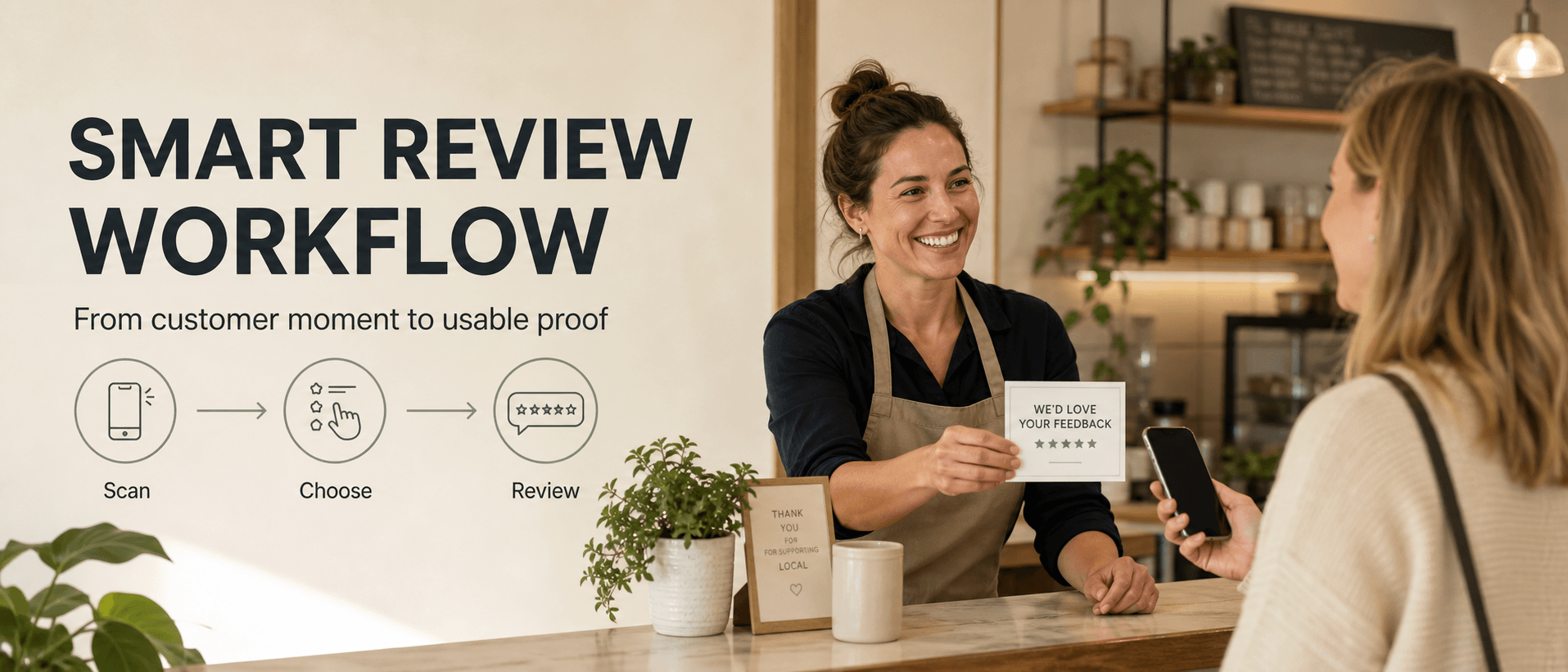
A smart review QR code workflow is more than a scannable link to your Google review page. For a local business, the stronger setup is a short path that helps a real customer turn a fresh experience into useful feedback, a review draft, a testimonial, a social post, or another piece of customer proof while keeping the customer in control. That distinction matters. A plain QR code can solve the access problem: customers no longer have to search for your Business Profile or type a review link by hand. A smart workflow solves the bigger moment problem: customers often leave happy, but they forget what to say, do not want to write from a blank box, or never turn a quick compliment into public proof. The best review workflow should be easy for staff to explain, easy for customers to use, and careful about trust. It should never pressure customers into a positive rating, filter unhappy customers away from public review options, or create reviews that do not reflect real experiences.
What Is a Smart Review QR Code Workflow?
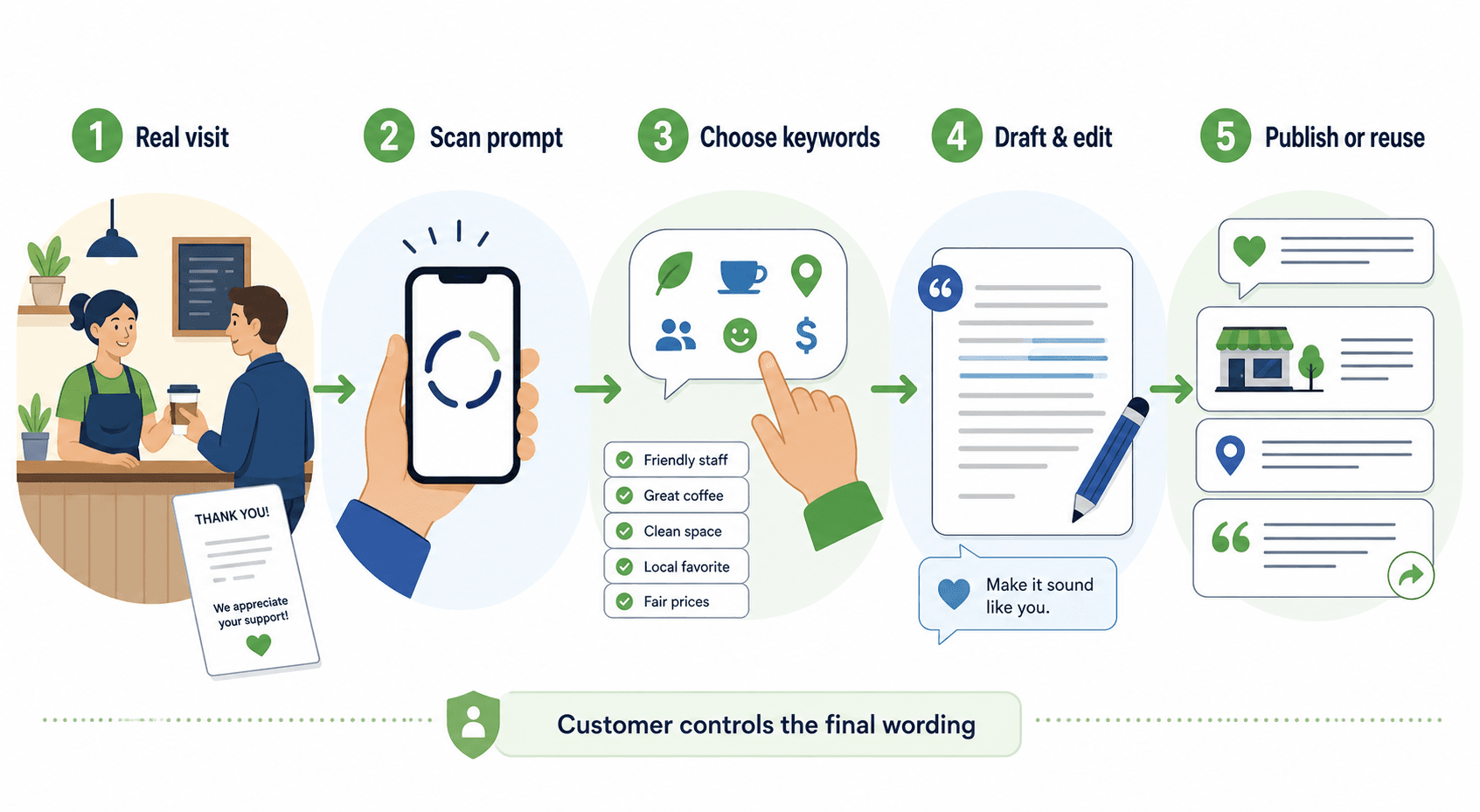
A smart review QR code workflow is a customer feedback path that begins with a scan and ends with a customer-approved action. The basic version looks like this:
- A customer has a real visit, purchase, appointment, class, meal, or service experience.
- The business invites the customer to scan a review or feedback prompt.
- The customer chooses experience details, such as friendly staff, fast pickup, clean space, helpful recommendation, great atmosphere, or fair price.
- AI helps turn those details into a draft.
- The customer reviews, edits, approves, ignores, publishes, or shares the final version.
- The business routes the result properly: public review, private feedback, testimonial, social post, video script, or internal service insight. That is different from a static QR code generator. A static QR code usually opens one destination. A smart workflow guides the customer after the scan. For a restaurant, that may mean helping a guest turn "the server handled our group really well" into a clear review draft. For a salon, it may mean turning a client comment about the consultation into a testimonial. For a gym, it may mean turning class feedback into a short social post idea. For a pet shop, it may mean capturing a customer story before it disappears.
How to Set Up the Workflow
The workflow should be short enough to fit into a real customer moment. If it feels like a long survey, most people will skip it. If it feels like pressure, it can damage trust. Use this five-part setup.
| Workflow piece | What it does | Local business example |
|---|---|---|
| Neutral invitation | Asks for feedback without rating pressure | "Want to share what stood out today?" |
| Clear scan point | Makes the next step easy | Counter card, table tent, receipt, pickup bag, checkout sign |
| Experience keywords | Helps customers remember specifics | "fast service," "clean space," "great haircut," "helpful staff" |
| Draft and edit step | Reduces blank-page friction | AI-assisted review draft or testimonial draft |
| Customer control | Keeps the final message voluntary | Customer edits, approves, publishes, or skips |
Google's own Business Profile guidance explains that businesses can ask customers for reviews and share a review link or QR code, but the request should be simple and respectful. The practical takeaway is straightforward: make leaving feedback easier, but do not script the customer's opinion.
1. Choose the Right Customer Moment
The best scan point is close to the experience, not days after the customer has forgotten the details. Good moments include:
- after a meal, when the guest is paying
- after a haircut, when the client has seen the final result
- after a pickup order, when the customer sees speed and accuracy
- after a class, when the feeling of the session is fresh
- after a retail purchase, when staff help is still easy to remember
- after a pet care visit, when the owner sees the result Do not force the request into every interaction. A rushed complaint, billing issue, service failure, or private customer concern is not the right moment to push for a public review. It may be the right moment to collect private feedback and fix the problem.
2. Use a Neutral Request
The wording should invite real feedback, not praise. Use:
- "Want to share how today's visit went?"
- "Your feedback helps us improve."
- "Scan to turn your experience into a quick review or private note."
- "Tell us what stood out from your visit." Avoid:
- "Leave us a five-star review."
- "Scan only if you loved your visit."
- "Show us your review for a reward."
- "Write something positive about us." The difference is not cosmetic. A neutral request protects the business because it keeps the customer's actual experience at the center.
What Should Happen After the Scan?
The post-scan flow is where most review QR code setups succeed or fail. If the scan opens a blank review box, only the most motivated customers will finish. Many satisfied customers do not know what to write. They may have a real positive experience, but the blank page asks them to become a writer at the worst possible moment. A better flow gives the customer a few simple choices:
- What type of visit was this?
- What stood out?
- Was there a staff, service, product, atmosphere, speed, cleanliness, or recommendation detail worth mentioning?
- Would the customer rather leave public feedback, private feedback, a testimonial, or a social post idea?
- Does the customer want AI help turning those details into a draft?
The customer should then be able to edit the wording before anything is used. AI should help organize the customer's details, not replace the customer's experience.
Where to Place a Review QR Workflow
A review workflow only works if customers see it at the right time. For restaurants and cafes, try:
- table tents near the end of the meal
- receipt prompts
- pickup counter cards
- small signs near the host stand or cashier
- follow-up messages for reservations or online orders For salons, spas, and wellness businesses, try:
- checkout counter cards
- appointment follow-up messages
- treatment room exit signs
- mirror cards near the final reveal
- loyalty program emails For gyms and education centers, try:
- class exit signs
- new-member follow-ups
- post-session messages
- front desk cards
- parent pickup areas for kids' programs For retail and pet businesses, try:
- bag inserts
- checkout signs
- service completion cards
- post-purchase messages
- grooming or care pickup counters The placement rule is simple: put the prompt where the customer's memory is strongest and the next action feels natural.
How Vibpost Fits Into the Workflow
Vibpost fits into the smart workflow layer, not just the QR code layer. Vibpost is an AI marketing assistant for local businesses that uses a smart review QR code workflow to help customers turn real experiences into review drafts, social posts, testimonials, video scripts, and reusable social proof. Inside the product, that smart review QR code workflow is called a Seeding Code. For a US local business, the easier way to understand it is this: the customer scans, chooses experience-based keywords, and gets AI help turning those details into content they can review and edit. That makes Vibpost useful when the business has more than an access problem. If customers already ask where to leave a review, a simple QR code may be enough. If customers say kind things in person but rarely publish them, need help remembering specifics, or could create several types of customer proof from one real moment, a smarter workflow is stronger. Vibpost can help generate:
- review drafts
- social posts
- testimonials
- short video scripts
- reusable customer proof It also supports multi-language content, customization, data analytics, and ongoing generation for daily use. Vibpost has served 2,000+ merchants, generated 150k+ reviews, and reports 4.8/5 merchant satisfaction, but the workflow should still be judged by how well it preserves customer trust and reduces friction.
The Trust Boundaries That Matter
A smart workflow should be safer than a manual shortcut, not more aggressive. Reviews and testimonials must reflect real customer experiences. Customers should not be pressured into a positive rating, filtered based on sentiment, rewarded for leaving a review, or asked to approve language that does not match what they meant. Google's Maps user-generated content policy warns against fake engagement, incentives, rating manipulation, and behavior that distorts public feedback. For local businesses, that means the review workflow should follow a few practical rules:
- Ask real customers after real experiences.
- Keep the request optional.
- Do not ask for a specific rating.
- Do not ask only happy customers.
- Do not offer discounts, gifts, or rewards for reviews.
- Do not hide public review options from unhappy customers.
- Let customers edit or reject AI-assisted drafts.
- Get permission before reusing private feedback as a testimonial or social post.
- Do not publish customer words out of context. The safest workflow is not the one that creates the most polished language. It is the one that keeps the customer's real experience intact while making the next step easier.
A Simple Launch Checklist
Before you print cards, place signs, or train staff, run through this checklist.
Set the customer promise
Can staff explain the workflow in one sentence? Use something like:
If you want to share what stood out today, this code helps you choose a few details and turn them into a draft you can edit.
That sentence tells the customer three important things: the request is optional, the input comes from the real visit, and the final wording is theirs.
Pick the first location
Do not launch everywhere at once. Start with one high-signal spot:
- one checkout counter
- one receipt prompt
- one table tent group
- one class follow-up
- one salon checkout card Then watch what happens before expanding.
Choose the first keyword set
Keep keywords specific enough to help memory, but broad enough to fit real experiences. For a cafe:
- friendly staff
- fast pickup
- fresh pastry
- clean space
- cozy atmosphere
- good recommendation For a salon:
- careful consultation
- clean space
- style matched my request
- relaxing experience
- friendly stylist
- clear advice For a gym:
- beginner friendly
- clear coaching
- good class energy
- clean equipment
- motivating instructor
- easy check-in The keyword list should help customers remember details. It should not push customers toward praise they did not intend.
Decide where each output goes
Not every scan should become a Google review. Route outputs clearly:
| Customer intent | Best next step |
|---|---|
| Wants to share publicly | Review draft or public review link |
| Wants to give a private note | Private feedback to the business |
| Gives a strong quote | Testimonial request with permission |
| Describes a visual moment | Social post or video script idea |
| Reports a problem | Service recovery, not public review pressure |
This routing makes the workflow more useful and more trustworthy.
How to Measure Whether It Works
Do not judge the workflow only by how many public reviews appear. That can push a business toward pressure tactics. Track the full customer path:
- How many customers saw the prompt?
- How many scanned?
- How many chose keywords?
- How many generated a draft?
- How many edited the draft?
- How many chose public review, private feedback, testimonial, social post, or video script?
- Which keywords appeared most often?
- Where did customers drop off?
- Did staff explain the request consistently? For the first week, the goal is learning. A restaurant may discover that table tents work better than receipt prompts. A salon may find that checkout cards work only when the stylist mentions them naturally. A gym may learn that class follow-up messages outperform signs at the door. The workflow improves when you know where the customer journey breaks.
Common Mistakes to Avoid
The most common mistake is treating the QR code as the whole strategy. A QR code can shorten the path, but it cannot decide the tone, timing, trust boundary, or customer permission model. If the customer scans and faces a blank box, the business still loses many useful moments. Other mistakes include:
- placing the prompt too early, before the customer has formed an opinion
- asking staff to request reviews only from visibly happy customers
- using one generic keyword list for every service line
- making the workflow feel like a survey
- making AI output too polished or unlike the customer's voice
- using private feedback as public proof without permission
- measuring only star ratings instead of the whole feedback path The fix is not a more aggressive request. The fix is a better customer journey.
FAQ
Is a review QR code allowed for a local business?
Yes, a local business can use a review link or QR code to make it easier for customers to leave feedback. The important boundary is how the business asks. Keep the request neutral, optional, and open to real customer experiences.
What makes a review QR code "smart"?
It becomes smart when the scan opens a guided workflow instead of only a static destination. The customer can choose experience details, receive AI-assisted drafting help, edit the wording, and decide whether the result should become a public review, private feedback, testimonial, social post, or another form of customer proof.
Should AI write the review for the customer?
No. AI should help the customer turn their own experience details into a draft they can review, edit, approve, or reject. The customer should remain in control of the final wording.
Can the same workflow support reviews and social posts?
Yes, when it is designed carefully. A real customer moment may become a review draft, testimonial, social post, or video script. The workflow should make the output choice clear and get permission before reusing private customer feedback.
What is the best first step for a small business?
Start with one location, one simple invitation, and one keyword set. Run it for a week, measure scans and drop-offs, listen to staff feedback, then improve the workflow before expanding.
The Better Goal: Capture the Moment Without Controlling the Customer
The best review QR code workflow does not try to manufacture praise. It captures real customer moments before they fade. For local businesses, that is the practical opportunity. A good meal, a careful haircut, a helpful product recommendation, a clean studio, or a friendly class experience may only last a few minutes in the customer's memory. A smart workflow gives the customer a low-friction way to turn that moment into something useful. Use the QR code as the doorway. Use the workflow to guide the customer from memory to wording. Use AI to reduce friction. Keep the customer's control at the center. That is how a local business can collect more useful customer proof without turning the review request into pressure.