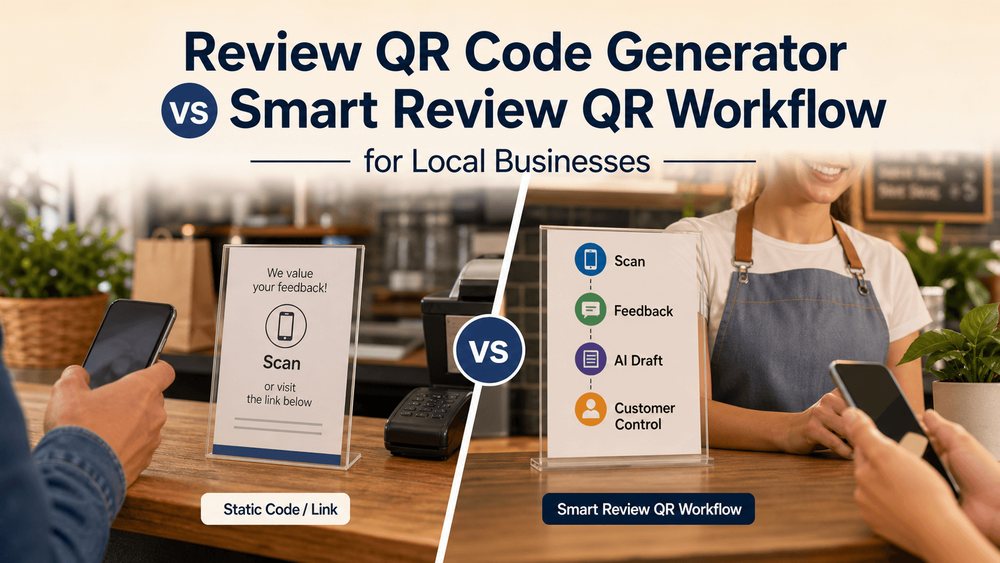
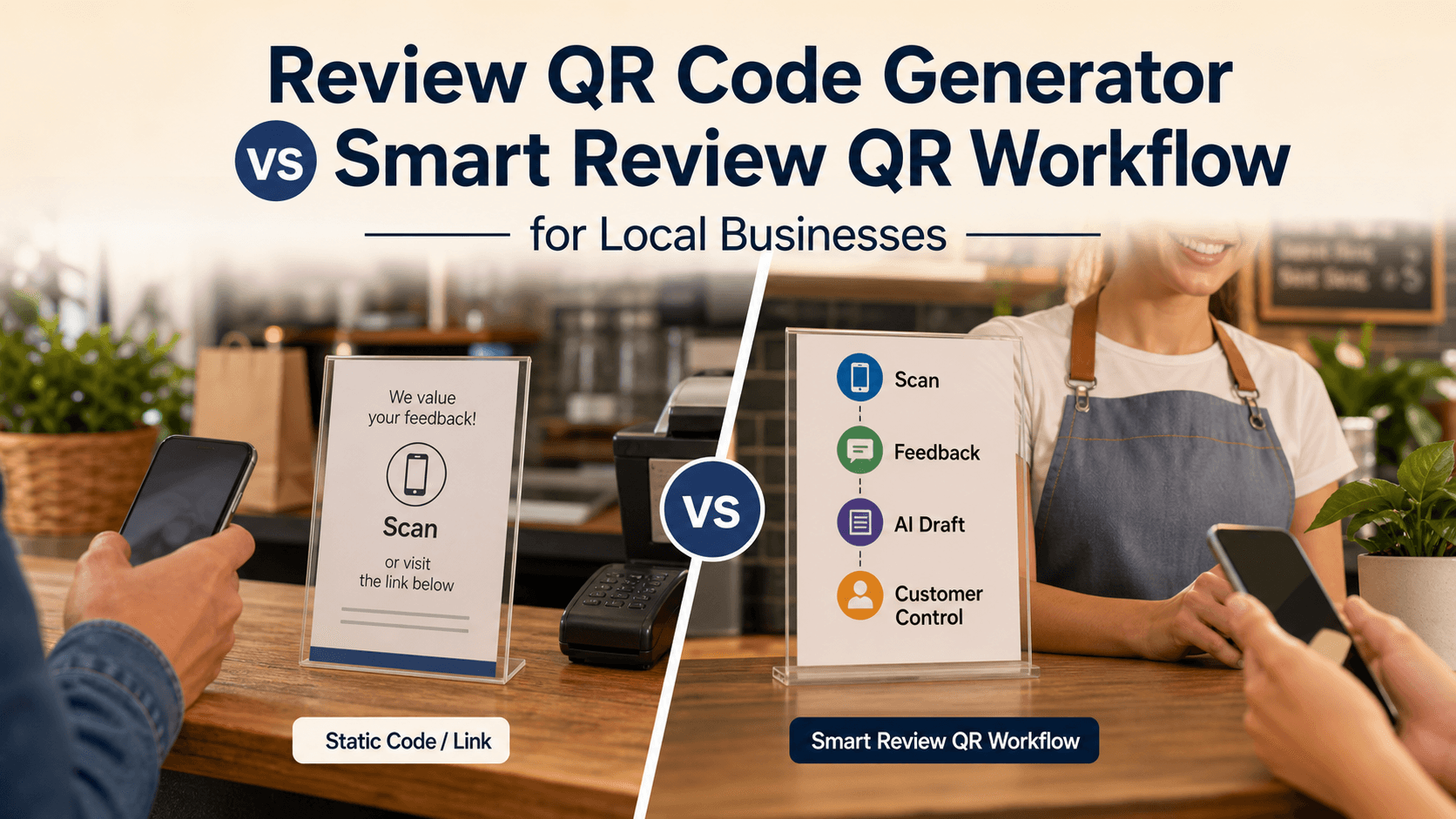
Review QR Code Generator vs Smart Review QR Workflow for Local Businesses
A review QR code generator creates a scannable shortcut to a review page. A smart review QR workflow helps with what happens after the scan: the customer chooses experience-based keywords, gets help turning a real visit into an editable review draft or social post, and stays in control of what gets published. For a local business, the choice is not really "QR code or no QR code." It is whether the scan should only open a link or support the whole customer-proof moment.
That difference matters because most review problems are not caused by the code itself. A QR code can reduce friction, but it does not solve the blank-page problem, staff awkwardness, review policy risk, or the need to reuse customer feedback as testimonials, social content, and local proof.
Google gives businesses a way to create and share a review link or QR code from their Business Profile. That makes a basic review QR code useful. But Google also expects reviews to reflect genuine customer experiences and warns merchants not to offer incentives, selectively solicit only positive reviews, pressure customers on the premises, or request specific review content under its Maps user-generated content policy. The better workflow keeps the convenience of a QR code while protecting customer control.
What a review QR code generator does
A review QR code generator turns a destination URL into a scannable code. For reviews, that destination is usually a Google Business Profile review link, a Yelp page, a feedback form, or a review landing page. The customer scans, opens the page, and decides whether to write.
That is often enough for a business with a simple goal: make the review page easier to reach.
A basic setup might look like this:
- The business gets a review link from its Google Business Profile.
- The business turns that link into a QR code.
- The code is printed on a receipt, table card, checkout sign, appointment card, or follow-up insert.
- Customers scan and land on the review page.
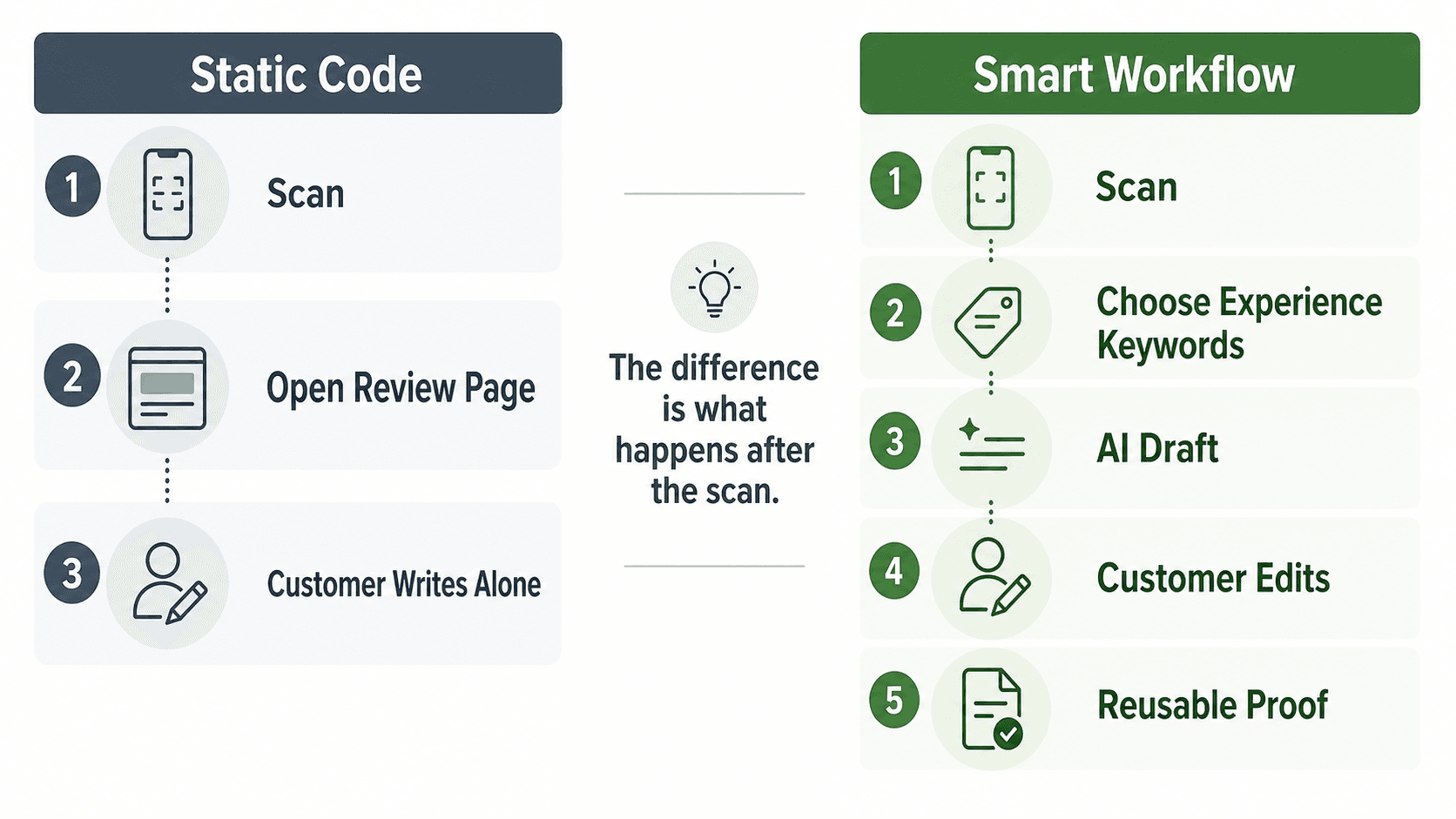
- The customer writes from scratch.
This is useful because it removes a small but real barrier. The customer does not have to search for the business, find the correct listing, tap the review section, and figure out where to start. Google itself explains that businesses can share a review link or QR code to request reviews through their Business Profile review request flow.
The limitation is that the code only moves the customer to the page. It does not help the customer remember what to say, turn a compliment into a review draft, reuse feedback as a testimonial, or guide staff on how to make the ask without sounding pushy.
What a smart review QR workflow adds
A smart review QR workflow treats the QR code as the start of a customer-proof process, not the whole process. The scan should lead into a structured experience: the customer selects what actually happened, AI helps draft useful language, and the customer decides what to edit, post, share, or ignore.
That workflow is especially helpful for local businesses because the best review moment is often short. A diner compliments the meal. A salon client loves the haircut. A gym member hits a milestone. A parent thanks an education center after class. If the business waits until later, the moment fades.
A smarter workflow captures the moment while it is still fresh:
- The customer scans a feedback or review QR code.
- The customer chooses keywords that match the real experience, such as "friendly staff," "quick service," "clean studio," "great haircut," or "helpful class."
- AI turns those customer-selected signals into an editable review draft, testimonial, social post, or short-form video script.
- The customer or business reviews the output before anything is published or reused.
- The business learns which customer themes are showing up repeatedly.
This is where the workflow becomes more than a shortcut. It helps bridge the missing middle between a good in-person experience and useful public proof.
Compare the options
A static QR code is best when the business only needs a faster path to an existing review form. A smart review QR workflow is better when the business needs a repeatable process for collecting real customer language, reducing writing friction, and turning feedback into more than one kind of marketing asset.
| Decision point | Review QR code generator | Smart review QR workflow | How Vibpost handles it |
|---|---|---|---|
| Main job | Creates a scannable shortcut to a review page | Guides the customer from scan to structured feedback and draft content | Uses a smart review QR code workflow for local businesses |
| Customer input | Customer writes from a blank page | Customer selects experience-based keywords first | Customers can choose real visit signals before AI drafting |
| AI support | Usually none | Helps turn real input into editable review drafts, testimonials, social posts, or video scripts | Vibpost helps create review drafts, social posts, testimonials, and video scripts from customer-selected keywords |
| Staff workflow | Print code and ask customers to scan | Place code in the right moment and use neutral request language | Fits checkout, table service, appointment follow-up, counter cards, and other local-business moments |
| Compliance risk | Depends on how the business asks | Can be designed around honest feedback, no incentives, and customer control | Should be used for genuine experiences, not fake reviews or rating manipulation |
| Reuse value | Mostly limited to the review page | Can turn feedback into reusable customer proof | Supports customer proof beyond a single review request |
| Best fit | Businesses that only need a link shortcut | Businesses that need a repeatable review and social-proof workflow | Restaurants, cafes, salons, spas, retail stores, gyms, pet shops, education centers, and similar local businesses |
The static option is not wrong. It is just narrow. If your team already knows exactly when to ask, customers write detailed reviews without help, and you only need a link on a printed card, a QR code generator may be enough.
If your real problem is that customers say nice things in person but never turn those moments into reviews, a smarter workflow will usually fit better.
The real difference is what happens after the scan
The scan is only the first step. The bigger question is whether the customer lands in an empty box or in a simple path that helps them express what actually happened. For many local businesses, the blank page is where good intentions disappear.
A customer may be willing to help but still think:
- "I do not know what to write."
- "I am in a hurry."
- "I will do it later."
- "I do not want to sound awkward."
- "I liked the service, but I cannot remember the employee's name."
- "I might post on Instagram instead, but I need a caption."
A static QR code does not answer those moments. It says, "Here is the page." A smart workflow says, "Start with what you experienced."
That difference changes the role of the business, too. Staff do not need to push for a five-star review or ask customers to say specific things. They can simply point to the workflow:
If you would like to share feedback, this code helps you turn your visit into something you can edit and use. Honest feedback is always welcome.
That kind of language keeps the customer in control. It also protects the business from turning review requests into pressure.
Where Vibpost fits
Vibpost is useful when a local business wants more than a plain review link. It is an AI marketing assistant for local businesses that uses a smart review QR code workflow, called a Seeding Code inside the product, to help customers turn real experiences into review drafts, social posts, testimonials, and video scripts.
The important point is not that AI writes more text. The important point is that the workflow starts from a real customer moment.
For example:
- A restaurant guest scans after a meal and selects "cozy atmosphere," "quick service," and "fresh pasta."
- A salon client scans after an appointment and selects "color matched perfectly," "friendly stylist," and "easy booking."
- A gym member scans after a milestone and selects "supportive coach," "stronger form," and "welcoming class."
- A retail shopper scans after checkout and selects "helpful recommendation," "local gift," and "easy exchange."
Those keywords can support a review draft, a short testimonial, a social caption, or a video script idea. The customer or business still needs to review the output before using it. The workflow should never be positioned as fake review generation, automatic posting, or a way to control what customers say.
Vibpost's product context also matters for small teams. It is designed for local businesses that do not have a full-time marketing department. A business can use the same customer moment for more than one purpose: public reviews, social proof, content ideas, and repeated feedback themes.
How to choose the right option
Choose based on the job you need the QR code to do. If the QR code only needs to move a customer to a review page, keep it simple. If the code needs to support customer language, staff behavior, content reuse, and trust boundaries, choose a smart workflow.
Use this practical decision rule:
| Choose this | When it makes sense |
|---|---|
| Basic review QR code generator | You only need to print a code that opens a Google review page or feedback form. |
| Review link plus manual staff script | Your team can ask naturally, and customers usually write detailed reviews without help. |
| Smart review QR workflow | Customers often give verbal praise but do not know what to write later. |
| Smart review QR workflow | You want the same customer moment to support reviews, testimonials, social captions, or video scripts. |
| Smart review QR workflow | Staff need a repeatable, less awkward way to invite honest feedback. |
| Smart review QR workflow | You want customer-selected keywords and AI-assisted drafts while keeping the customer in control. |
The easiest mistake is buying more software than you need. The second easiest mistake is using a free QR code and assuming the workflow is solved.
For a local business, the best choice is the one your team can use consistently without pressuring customers or inventing outcomes.
A safe setup for local businesses
A good review QR workflow should be visible, neutral, and optional. Whether you use a basic QR code generator or a smarter workflow, the setup should make honest feedback easier without trying to influence the rating or wording.
Start with these rules:
- Place the code where the customer moment naturally ends.
- Use neutral copy such as "Share your honest feedback" or "Tell others about your visit."
- Do not ask for five stars.
- Do not offer discounts, gifts, loyalty points, or giveaway entries in exchange for a review.
- Do not route only happy customers to the public review path.
- Do not ask customers to include specific content or staff names.
- Do not watch over the customer while they write.
- Let the customer edit or ignore any AI-assisted draft.
The FTC's Consumer Reviews and Testimonials Rule also reinforces the broader trust boundary: businesses should not use fake or false consumer reviews, and incentives tied to a particular review sentiment create risk. The FTC's consumer reviews and testimonials Q&A explains that incentives for reviews cannot be conditioned on positive or negative sentiment.
For local businesses, the practical lesson is simple: make the review easier, but do not make the praise less honest.
A one-week test before you roll it out
Before printing codes for every table, counter, checkout bag, appointment card, or receipt, test the workflow for one week. Measure whether the process feels natural, not just whether the number of scans goes up.
Track:
- Where the code appears.
- What staff say when they mention it.
- How many customers scan.
- Which experience keywords customers choose.
- How many drafts are edited.
- Whether customers use the output as a review, social post, testimonial, or video idea.
- Whether any customer says the request felt pushy.
- Whether negative feedback still reaches the team.
- Which customer themes are worth reusing in website copy or social proof.
This kind of test gives you a better signal than a raw review count. It tells you whether the workflow fits the real customer journey.
If scans are low, placement may be the issue. If customers scan but do not finish, the next step may feel too hard. If staff feel awkward, the script needs to be simpler. If customers choose strong keywords but never post, you may need to make the draft easier to edit or give them more time after the visit.
FAQ
Is a review QR code generator enough for a small business?
It can be enough if your only goal is to make the review page easier to access. If customers already write reviews comfortably and your staff know how to ask without pressure, a simple QR code may do the job.
What is the advantage of a smart review QR workflow?
The advantage is that it supports the moment after the scan. Instead of sending the customer to a blank review box, it can help them choose real experience keywords, draft editable content, and create reusable customer proof.
Can a business use AI to help customers write reviews?
AI can help with drafting if the content is based on the customer's genuine experience and the customer controls the final wording. It should not invent experiences, request a specific rating, publish automatically, or replace the customer's own judgment.
Can I put a Google review QR code on a receipt or table card?
Yes, businesses can use review links or QR codes to request reviews. The safer approach is to ask for honest feedback, keep the request optional, and avoid filtering only happy customers into the public review path.
When should I choose Vibpost instead of a static QR code generator?
Choose Vibpost when you want the QR code to support a broader customer-proof workflow: customer keyword selection, AI-assisted review drafts, testimonials, social posts, video scripts, and reusable feedback themes for a local business.
Make the QR code lead somewhere useful
A review QR code generator solves access. A smart review QR workflow solves the customer-proof moment.
If all you need is a scannable link, keep the setup simple. But if your business keeps losing good customer moments after people leave the store, the better question is not "Can we make a QR code?" It is "What should happen after the scan?"
For local businesses, the strongest workflow is simple, honest, and customer-controlled: capture the real experience, lower writing friction, let the customer edit, and turn useful feedback into proof without manufacturing praise.